Query Expansion in Ecommerce: How It Works and Pays Off
Query expansion shows shoppers relevant products when their words don't match your catalog. Learn the techniques, fallback steps and how to measure the lift.

Query Expansion in Ecommerce: How It Works and Pays Off
Query expansion is how a store’s search turns what a shopper typed into what the catalog actually contains. It adds synonyms, loosens overly strict terms and offers close alternatives so a query returns products instead of an empty page. For a Shopify merchant, the practical answer is that it works best as a tuned, ongoing process, not a one-time setting, which is why we run it as a managed service for stores through Indexa’s managed AI search.
TL;DR
- Query expansion widens a query when it returns too few results: synonyms, dropped terms, related products, or semantic matches.
- Large retailers report measurable gains from it, including roughly halved zero-result searches in one 2026 production system.
- The risk is drift: expanding “Nike skirts” to every skirt can bury the shopper’s real intent. Rules must protect brand, size and color.
- Build a fallback ladder: exact match, then synonyms, then relaxed terms, then close substitutes, then curated recommendations.
- Judge it on clicks, conversion and revenue per search, split by popular and rare queries, not on a single relevance score.
Table of Contents
- What query expansion means for an online store
- The main query expansion techniques
- Where expansion sits in the query pipeline
- Expanding without changing what the shopper wants
- A fallback ladder for weak and empty results
- How to measure whether it works
- Our perspective
- See what your search is missing
- FAQ
- Sources
What query expansion means for an online store
Shoppers do not search the way your product data is written. They type “sneakers” when your titles say “trainers”, “mens bikes” when the catalog says “bicycle”, or a long phrase describing a need. If the search engine only matches literal words, those shoppers see nothing, and most leave.
Google’s retail search documentation describes query expansion as the incremental loosening of query constraints when a search returns none or too few results. In that system it triggers by default when the first search finds fewer than 3 products, and the threshold is configurable. It also covers long-tail queries, such as a very specific combination of dietary attributes, and suggests alternative products when a searched brand is not in the catalog.
Two related ideas get confused with it:
- Spelling correction fixes what the shopper mistyped. It is the simplest form of rewriting and is usually visible to the shopper.
- Query relaxation removes terms to make the query less restrictive. It is a kind of expansion that trades precision for recall.
The eBay search architecture paper describes this as part of query transformation: rewriting an incoming query in several ways, where expansion adds tokens to broaden intent and relaxation removes tokens to raise recall. The same paper notes why it matters commercially: irrelevant results reflect badly on a site, while too few results reduce revenue and purchasing options.
For a small Shopify brand, that last point is the whole story. Every query that ends in “no results” is a shopper who wanted to buy something and could not find it.
The main query expansion techniques
You do not need all of these on day one. Each solves a different failure, and it helps to know which failure you have.
Synonym and abbreviation mapping
The oldest technique is a list of equivalent terms: “hoodie” and “hooded sweatshirt”, “tee” and “t-shirt”, “sofa” and “couch”. It is precise and easy to reason about. Its weakness is upkeep: language moves faster than any list.
Takealot’s engineers described exactly this problem. Their manual expansion and replacement rules became outdated, causing null searches and irrelevant results, which pushed them toward semantic expansion. Their example was a local slang word for flip-flops that should surface sandals and flip-flops beyond the 22 items from one brand sharing the name.
If you want the merchant’s view of building a synonym list without damaging relevance, our guides on synonym expansion in ecommerce search and a synonym strategy that fixes zero results go step by step.
Automatically mined synonyms
At scale, teams mine synonyms from data. An eBay paper describes a two-step pipeline: offline synonym candidates generated from behavior logs, taxonomy and open knowledge bases, then filtered by a classifier trained on human-judged labels. At search time the query is rewritten with boolean logic, so “mens bikes” becomes a query that accepts men or mens, and bike, bikes, bicycle or bicycles.
The lesson for a smaller store: candidates are cheap, but the filter is what keeps quality up. Someone has to judge which pairs are truly interchangeable.
Selective phrase expansion
Flipkart’s PSimBERT work applies a BERT-based phrase expansion model only to low-recall queries, those matching fewer than 2 products, and short queries under 7 words. Offline Recall@30 improved 11% over the production baseline, and the model was tested in a two-week A/B experiment on 10% of traffic. The design choice matters more than the model: expansion is switched on where the shopper is currently failing, not on every query.
Semantic and LLM-based expansion
Semantic search matches meaning, not words, so a natural-language query like “something warm for a spring hike” can reach jackets even if no product title contains those words. Large language models add another route: generating alternative queries that capture the same intent.

An eBay study on an LLM “Alternator” found that adding LLM-generated alternatives to behavior-mined query suggestions significantly improved click-through and conversion over the production system. Our own overview of semantic versus keyword search on Shopify explains why starting from your first 100 to 300 real queries is enough to see the gap.
Where expansion sits in the query pipeline
A query pipeline is the sequence of steps between the shopper pressing enter and the ranked grid appearing. A simplified version looks like this:
- Normalize. Lowercase, strip punctuation, handle plurals.
- Correct spelling. Fix typos and common misspellings.
- Understand. Identify product type, brand, color, size and other attributes in the text. Our explainer on query understanding in ecommerce covers this layer.
- Rewrite. Expand with synonyms, relax constraints, or substitute close alternatives.
- Retrieve. Pull candidate products from the keyword index, the semantic index, or both.
- Rank and merchandise. Order results, apply boosts and pins, and show the grid.
The eBay architecture paper describes the same flow: the query goes to several subsystems at once, query understanding identifies meaning, and rewriting retrieves a different set of relevant results for the ranker to order.
Order matters. Expansion that runs before understanding will happily rewrite a brand name or a size as if it were an ordinary word. Understanding first lets the rewrite step know which parts of the query are negotiable.
Expanding without changing what the shopper wants
The fastest way to make search worse is to expand carelessly. A shopper who types a brand, a size or a color usually means it.
Myntra’s engineers illustrate this with “Nike skirts”. Plain expansion would drop the brand and show all skirts. Substitution would instead look for other sporty brands, because the brand signals a style. Their argument: expand only when the dropped attributes carry no hidden intent, and when the new query drifts far from the original, offer several “next best” queries for the shopper to choose.
For a fashion retailer, that translates into practical rules:
- Protect hard attributes. Size, gender and color should stay as filters unless nothing matches at all.
- Treat brand as intent. If a brand is absent from your catalog, say so and show close alternatives, not a random category dump.
- Drop the least informative word first. In “red linen midi dress summer”, “summer” goes before “midi”.
- Keep the shopper in control. Show what was changed (“Showing results for…”) and make the original query recoverable.
- Separate head and tail. Popular queries deserve hand-checked rules. Rare queries need automated fallbacks.
That last point mirrors how Instacart is described as handling the cost of LLM rewriting: pre-computing and caching outputs for frequent queries while keeping traditional models as fallback for the long tail, rather than running a language model on every search.
A fallback ladder for weak and empty results
Search fallback strategies are what happens when the first attempt fails. The best ones are a ladder: each rung is looser than the last, and the shopper never lands on a dead end.
| Rung | What happens | Example |
|---|---|---|
| 1. Exact and typo-tolerant match | Match the query as typed, forgiving misspellings | “sneekers” returns sneakers |
| 2. Synonym expansion | Add approved equivalents | “trainers” also finds sneakers |
| 3. Semantic match | Retrieve by meaning | “shoes for standing all day” finds supportive footwear |
| 4. Relaxation | Drop the weakest term | “red linen midi dress summer” drops “summer” |
| 5. Substitution | Offer close alternatives, labeled as such | A missing brand leads to similar-style brands |
| 6. Curated landing | Show best sellers or a category with a clear message | A merchandised grid for the nearest collection |
Research backs the value of the lower rungs. A 2012 paper on rewriting null ecommerce queries used relaxation guided by category structure and showed high-quality recommendations for more than 25% of null queries. Myntra’s team built a substitution fallback that triggers when results fall below a threshold, using a graph built from terms that appear together in sessions, and chose click-through rate as the primary metric while prioritizing precision.
If your store is on Shopify’s default search, you can find which rung is missing by running your top queries and your zero-result queries through the free Shopify search audit checklist. Typos, language fallbacks and missing synonyms tend to show up quickly. For the long end of the distribution, see how to fix long-tail queries in 30 days.
How to measure whether it works
Expansion can raise the number of results while lowering their quality, so “fewer zero-result searches” is not proof of success. Measure outcomes at the shopper level.
The published results from large retailers show the range to expect, and that the gains are modest and real:
- Walmart’s Doc2Token, which predicts tokens missing from product documents, produced a 0.28% revenue lift (p=0.013) in a two-week live A/B test, alongside a 0.49% NDCG@10 lift (p=0.066), and launched to full traffic.
- Target’s 2026 hybrid system, combining lexical and vector retrieval, showed +0.97% click-through, +0.98% order conversion and +1.10% demand per visitor over lexical-only search, and roughly halved zero-result searches.
- JD.com’s semantic retrieval system improved conversion by 1.29% overall and 10.03% for long-tail queries in its online test.
Notice where the biggest number sits: long-tail queries. That is where literal matching fails most, and where a small store with niche products often loses the most.
A workable measurement plan for a Shopify store:
- Baseline. Record search conversion rate, zero-result rate, search exits and revenue per search session before changing anything. Our piece on five ecommerce search metrics Shopify stores must fix lists what to pull.
- Split by frequency. Takealot’s engineers found expansion models perform differently on popular versus rare queries, so they graded high, medium and low-frequency queries separately. Do the same: one aggregate number hides a regression in either group.
- Judge relevance by hand. Label the top 10 results for a sample of queries as exact, acceptable substitute or irrelevant, as Walmart’s team did. Our guide to testing search relevance from Precision@10 to sales shows the method.
- Run a controlled test. Compare a change against the current search on real traffic for at least a couple of weeks, as the large retailers above did. See how to A/B test your store’s search.
- Tie it to revenue. Understanding which search visibility metrics connect relevance to clicks and revenue keeps the team focused on outcomes, not on rankings in isolation.
To size the prize before you start, the site search revenue calculator estimates what failed searches may be costing you.
Our perspective
We think of query expansion as a maintenance job that never ends, not a feature you switch on. Shoppers invent new words every season, catalogs change, and a synonym that helps one product line hurts another.
That is why we built Indexa as a fully managed service for Shopify stores. Typo-tolerant and semantic search, synonym mapping and multilingual support work together, and we keep tuning relevance against your store’s real search data. You do not write rules or code, and you keep ownership of your data.
The research above points the same way. The retailers that report gains pair smart retrieval with constant evaluation. A small brand rarely has an engineering team for that, and it should not need one to compete with larger stores.
Barikreativa
See what your search is missing
If you want to know how many of your shoppers hit weak or empty results, start with our free audit. It looks at how your store’s search handles real queries, so you can see where expansion and fallbacks would recover sales.
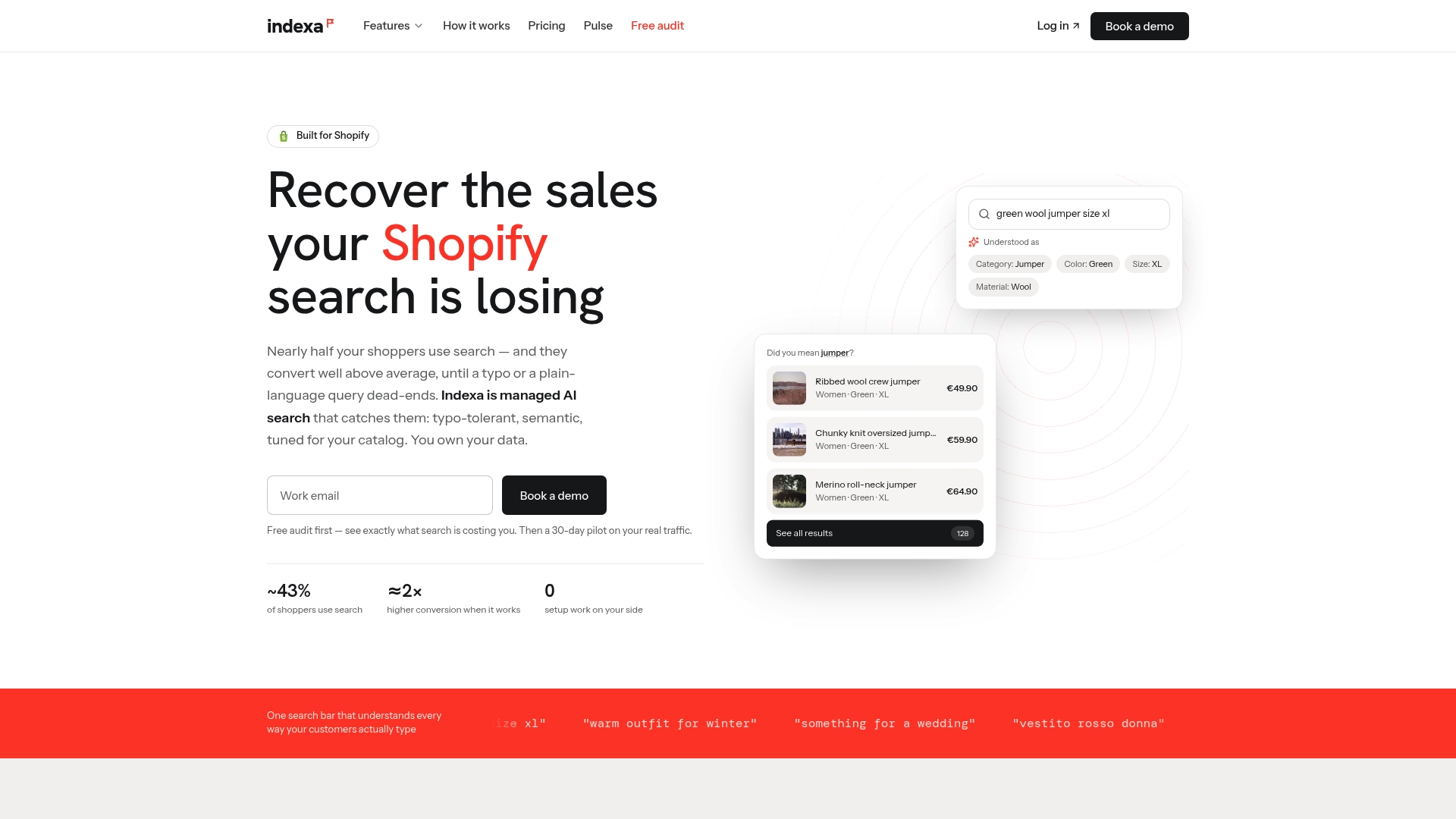
Indexa is a managed service: no setup is required on your side, activation takes minutes, and a visual merchandising grid editor lets you shape search and category pages without code. Billing is month to month with no per-request fees, and we support migration from another search platform. You can try it first through a 30-day pilot, and see how it compares with the built-in option on our page about going beyond Shopify Search & Discovery.
FAQ
What is the difference between query expansion and query relaxation?
Expansion adds terms, such as synonyms or related words, so more products can match. Relaxation removes terms, such as a weak descriptor, so the query becomes less strict. Both raise recall, and both need rules that protect brand, size and color.
When should a store use query expansion?
Use it when a query returns too few or no results, and for long-tail or natural-language queries that do not match product titles. Flipkart’s approach applied it only to queries with fewer than 2 matching products. Popular queries are better served by hand-checked rules.
Does query expansion hurt relevance?
It can if it is applied blindly, for example dropping a brand and returning every product in the category. Good systems expand only where no hidden intent is lost, label substitutes clearly, and are checked with human relevance judgments and live tests.
What is a good search fallback strategy for zero results?
Use a ladder: typo tolerance, synonyms, semantic matching, relaxation, labeled substitutes, then a curated page of best sellers or the nearest collection. The shopper should always see something useful, and the original query should stay visible.
How do I know if my Shopify search needs this?
Check your zero-result rate, your top failed queries and how often searchers leave without clicking. If common queries with typos, synonyms or natural phrasing come back empty, expansion will likely recover sales.
Sources
- Query expansion, Vertex AI Search for commerce (Google Cloud)
- The Architecture of eBay Search
- Query Rewriting using Automatic Synonym Extraction for E-commerce Search
- PSimBERT: Query Phrase Expansion for Low Recall Vocabulary Gaps
- AI Guided Accelerator For Search Experience
- Improving product search using machine learning (Takealot Engineering)
- Dynamic Query Substitution in fast evolving fashion
- Instacart: LLM-Enhanced Search and Discovery for Grocery
- Rewriting Null E-Commerce Queries to Recommend Products
- Semantic search innovation at scale (Myntra Engineering)
- Doc2Token: Bridging Vocabulary Gap by Predicting Missing Tokens
- Retail Product Search: A Practical Approach at Target
- Towards Personalized and Semantic Retrieval (JD.com)
Recommended
Make discovery work harder.
See what your Shopify search could do better with a free, hands-on audit.
Get your free search audit